
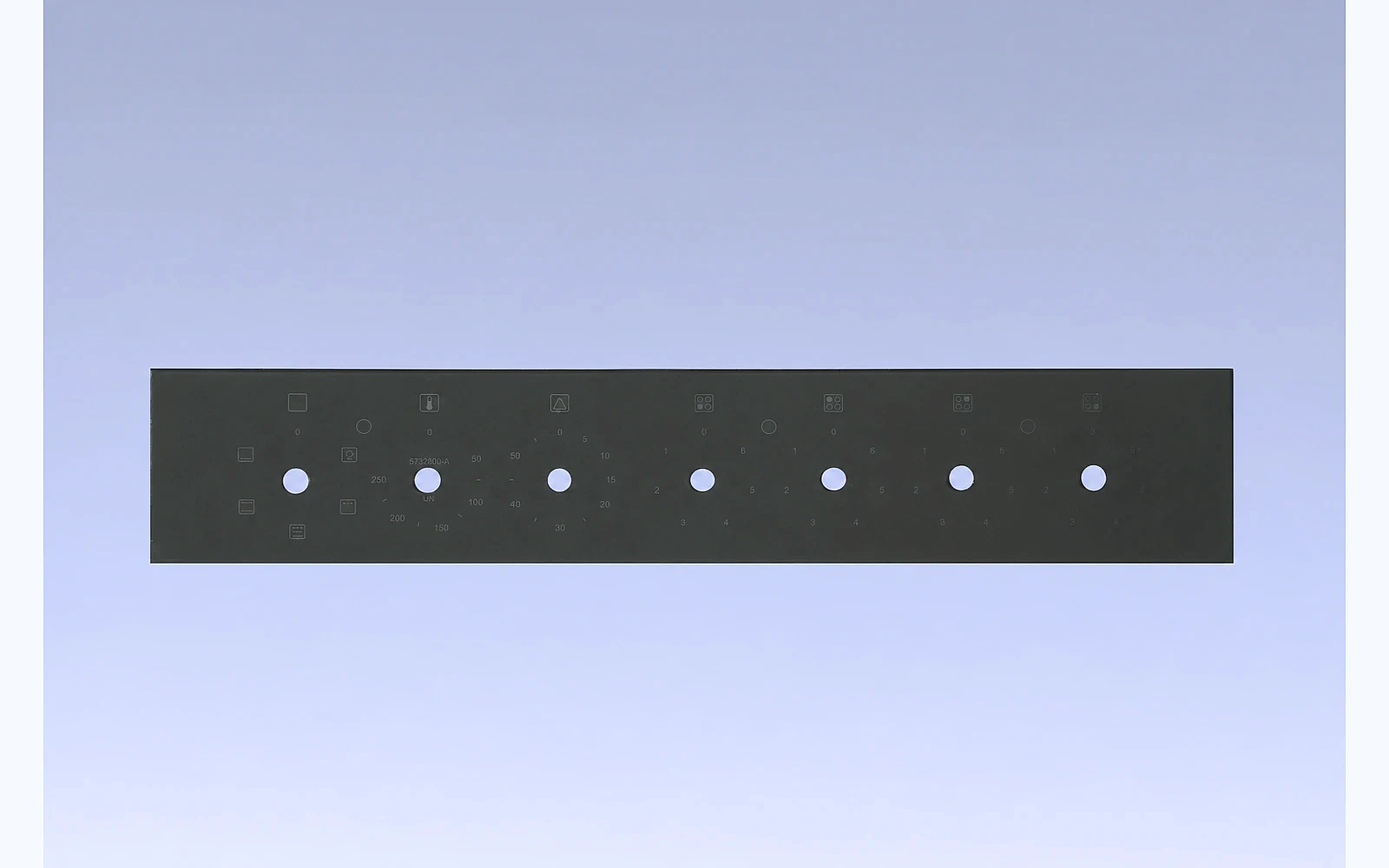




Direct answer: appliance-glass artwork is ready for production only when the released file, part drawing and assembly references describe the same object. A visually correct PDF can still create a wrong panel if its print side, viewing side, scale, datums, window edges, colors or revision are unclear. Preflight converts design intent into a controlled, reviewable manufacturing input.
Why artwork preflight is a manufacturing control
For an oven door, microwave fascia or touch display cover, printing is not decoration alone. A black mask may hide a bezel; an icon may align with a capacitive electrode; a transparent window may need to frame an LCD. The factory therefore needs more than an image. It needs a released geometry, a layer sequence and an inspection method that can be repeated after a screen, tool or material change.
Procurement teams often receive a drawing from engineering and artwork from industrial design. Before sampling, combine them into one controlled package. This avoids an expensive situation in which every file appears approved but the printed window is located from a different edge than the display.
Build one released file set
The package should identify the part number, drawing revision, artwork revision, date, owner and applicable language. Keep an archived non-editable reference as well as the native vector source. Raster screenshots are useful for communication but are not a reliable master for fine lines or scale.
| Item | What to define | Why it matters |
|---|---|---|
| Print side and viewing side | front/rear orientation and mirrored view | prevents reversed text or decoration |
| Outline and features | final glass outline, holes, cut-outs and radii | allows printing to be measured to function |
| Datums | common X/Y references for glass, artwork and assembly | controls accumulated variation |
| Layers | each color, mask, conductive or coating boundary | prevents missing or wrongly ordered layers |
| Windows | clear, translucent, dead-front and adhesive keep-out areas | protects optical and bonding function |
| Color intent | approved reference, gloss/opacity need and viewing condition | avoids a vague color-only approval |
Do not rely on “fit to page.” State drawing units and 1:1 scale. If the file contains a visible border plus a bleed, identify which line represents the inspected edge. If a panel is symmetrical only in appearance, still state the orientation mark used during production and assembly.
Use functional datums, not convenient artwork edges
The best datum is the feature that controls customer function. A display window may be located from two finished edges, while a rotary opening may be located from a hole center. Artwork should use the same datum scheme whenever possible. Measuring a print to a temporary screen edge or to an unqualified packaging mark creates a result that cannot predict assembly fit.
For touch panels, review the icon, electrode and housing together. For oven doors, review the viewing window, handle interface and printed border together. For microwave door glass, coordinate the decorative window with the screen and frame without assigning responsibility for undefined shielding performance to the glass artwork.
Make printable intent explicit
Before the first screen or digital-print trial, ask the processor to confirm feasibility of minimum lines, gaps, isolated dots, multi-color overlap, large opaque areas and reversed lettering. The answer can depend on ink, firing route, glass condition and process method. It is better to adjust a nonfunctional visual detail during preflight than to force a marginal feature into series production.
Use separate layers for each printable color. Convert or package fonts so substitutions cannot change a symbol. Identify overprints, knockout areas, gradients and transparent regions. Do not treat a monitor color as an acceptance standard; color, gloss and opacity should be evaluated on finished production-intent glass under agreed lighting. Our color-tolerance guide explains how to make that decision measurable.
Review the artwork against the assembly stack
An artwork review should include the actual glass thickness, print side, protective film, coating, adhesive boundary, display, housing and visible surface. A black border that looks correct alone may reveal a light halo after backlighting. A printed region can also affect a bonding surface or local thickness. For display applications, use the optical-grade versus appliance-grade guide to decide whether tighter optical controls are needed.
During installation preparation, use the released revision and an assembly fixture to check window location, icon alignment and exposed-edge appearance. This is system validation; it does not replace component factory testing of dimensions, print registration, opacity and appearance.
A practical preflight and approval flow
- Freeze the drawing, artwork and bill-of-material references for the sample stage.
- Confirm print/view sides, units, 1:1 scale, orientation and common datums.
- Separate layers and document colors, finishes, opacity and special zones.
- Review screen or print feasibility with the selected production route.
- Produce a traceable first article using the intended glass and process sequence.
- Inspect dimensions and print registration against functional datums.
- Evaluate the actual panel under agreed front light and, where relevant, powered backlight.
- Record the customer disposition, files and allowed deviations before mass production.
The first article should not be approved merely because it “looks right.” Use the first article and golden sample guide to retain measurable evidence and a revision-controlled reference.
Common preflight failures
Artwork is correct but on the wrong side
Rear printing can require a mirrored artwork and a clear statement of the viewing direction. Never infer it from a single product rendering.
A logo, symbol or wording was copied from a reference photo
Use only artwork that the customer is authorized to provide. The production file should exclude third-party trademarks unless the brand owner has explicitly released them for the project.
The drawing and artwork carry different revisions
Treat this as a stop condition. A new opening, icon position or coating boundary can change the part even when the visual difference is small.
FAQ
Can a PDF be used as the production artwork?
It can be a controlled reference, but the supplier should also agree the required native/vector delivery format, version, scale and font-handling method. Do not assume that every PDF retains editable or print-ready data.
Should print registration be measured to the glass edge?
Only if the edge is the functional reference. Where the window, hole or display controls fit, use the released functional datums and show them on the drawing.
Can we approve artwork from a digital rendering?
No. A rendering is useful for intent, but finished-glass approval should include actual color, opacity, edge definition, light leakage and assembly appearance under defined conditions.
Who owns the final artwork release?
The customer or designated design owner normally releases the product intent. The glass processor should document manufacturability questions and the exact file/revision used for sampling and production.
Conclusion
Artwork preflight protects brand appearance, assembly fit and production repeatability at the same time. Link the released artwork to the drawing, establish functional datums, prove print feasibility, then approve a traceable finished sample. That gives purchasing teams a basis for comparing suppliers and gives the factory a stable route to follow.
Need a preflight review for a custom control panel, oven door or display cover? Send your drawing and artwork to Tairong for a manufacturability review before sampling.